Everyframe · Recap
Coming soonOne sheet in.
A video for every row.
Add a sheet with a row for each customer. Recap makes a short video of each person’s year, every frame drawn from their own numbers.
Coming soon. We’ll email you when it opens.
Maja’s row
- first_name
- Maja
- km
- 1206
- runs
- 148
- best_month
- May
- streak_days
- 41
Row 1 of 24
Made in Charts
18 s · 9:16 · a poster
Maja’s link
everyframe.si/r/kq7m2x…
Her own page with her video, for your email.
Kestrel is a running app we made up, and so is Maja.
01
Add your sheet.
Save it as CSV, with a row for each person and the column names in the first row. Recap reads every column back before anything is made.
- The sheet From Excel or Google Sheets, saved as CSV. Up to 2,000 rows and 10 MB.
- Your rows They are about real people. You accept our data agreement as you upload.
- No sheet yet Every step works on Kestrel’s sample. Kestrel is a running app we made up.
and 21 more runners, a line each
Then
Every column, read back.
Recap shows each column with its kind and its first three rows. It names the rows that would fail before anything is made.
- Kinds Such as text, email, number and month, read from the cells.
- Problems Empty cells and the rows that would fail, each one named.
- Names In the first row, or lower. You pick the row.
We read 21 columns
Each with its kind, its first three rows and what would fail.
02
Pick a template. See three real rows.
Each template brings its own colours, type and motion. Recap sets the story from your column names. Then you see three real rows from your sheet before the rest are made.
- Templates Charts and Big type. Each brings its own colours, type and motion.
- Your numbers Every frame is drawn from the row’s own numbers.
- The story Set from your column names. You can change every word.
- Your name Type your company’s name. Every video says it.
- The preview Three real rows from your sheet, shown before the rest are made.
Charts
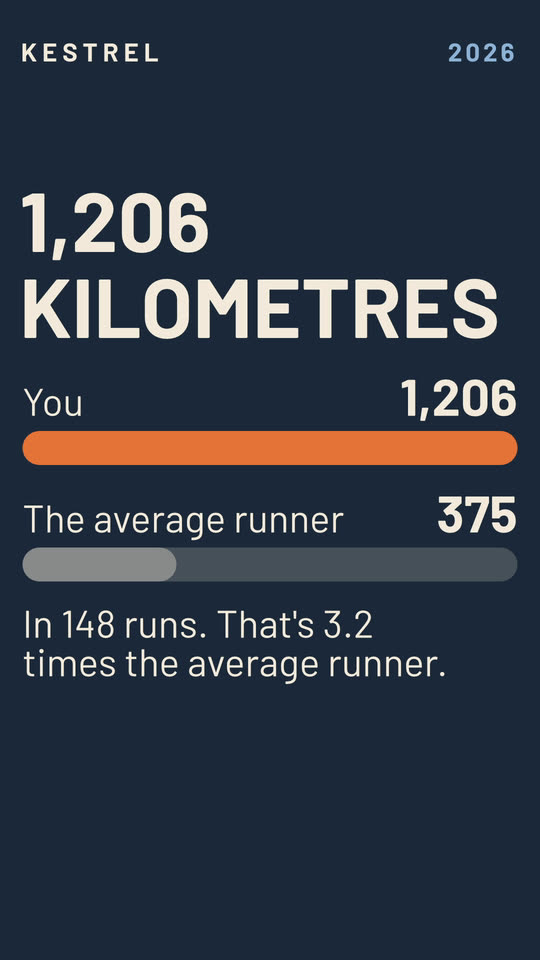
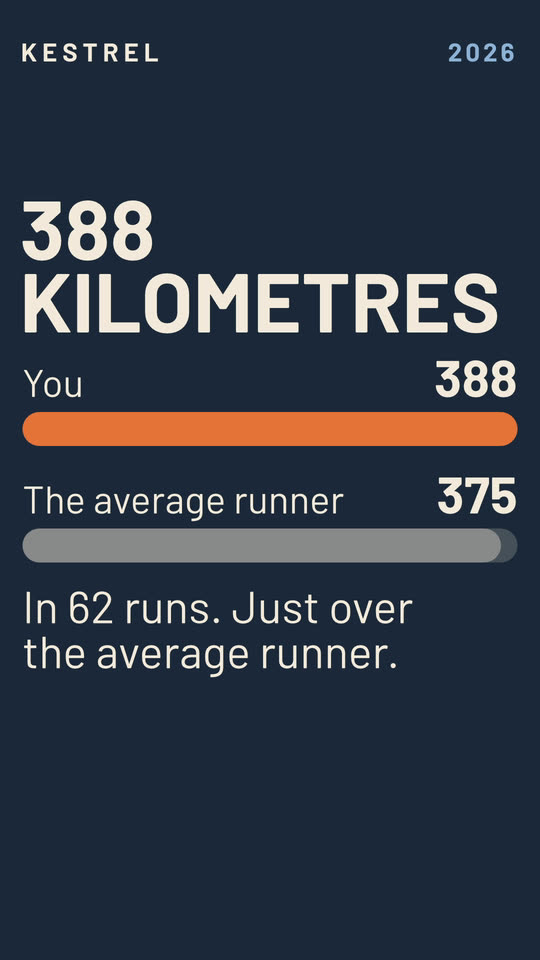
TemplateTheir year drawn from the numbers, against everyone's.
Big type
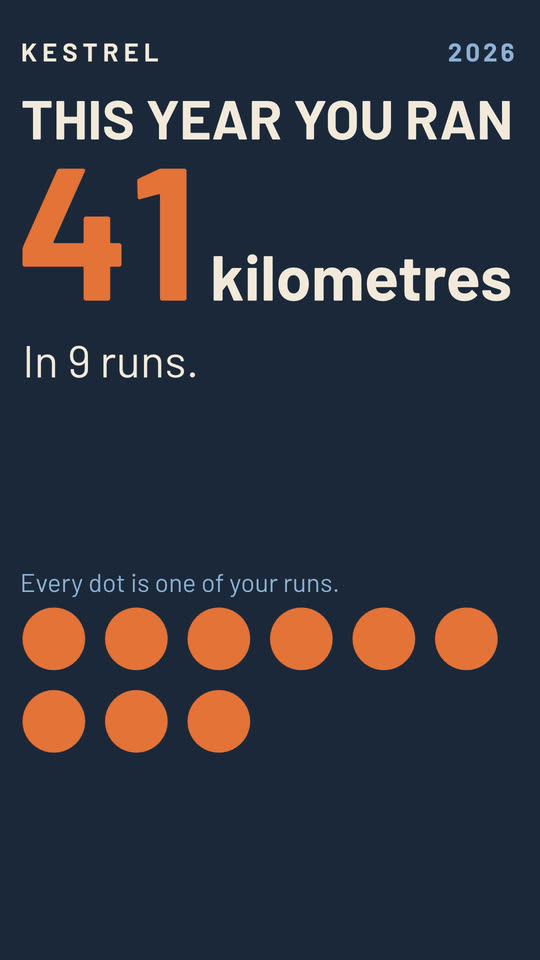
TemplateOne number a frame, loud, on bold fields of colour.
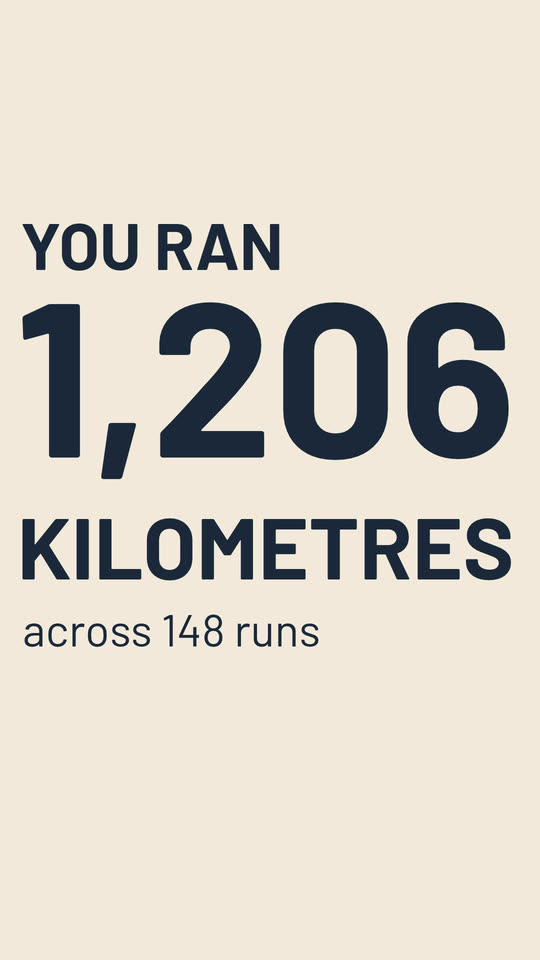
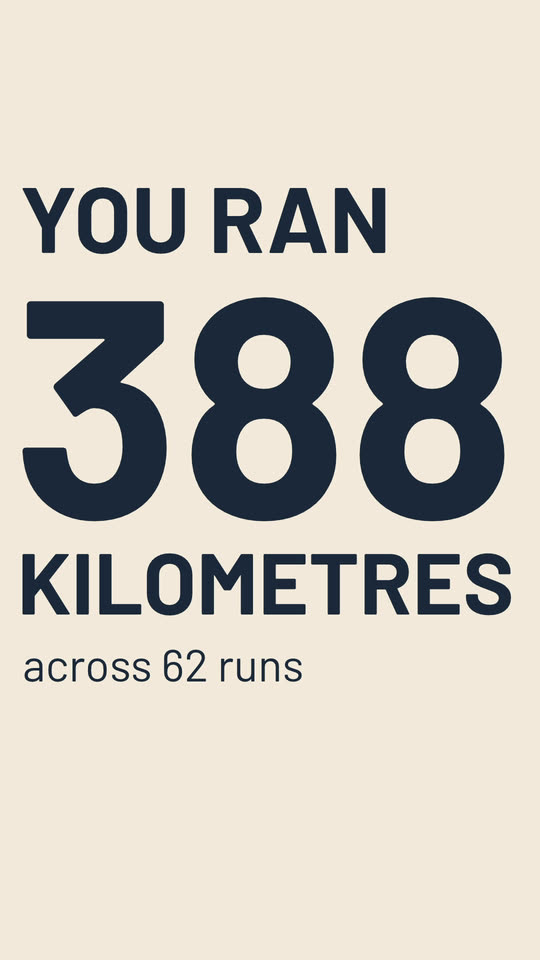
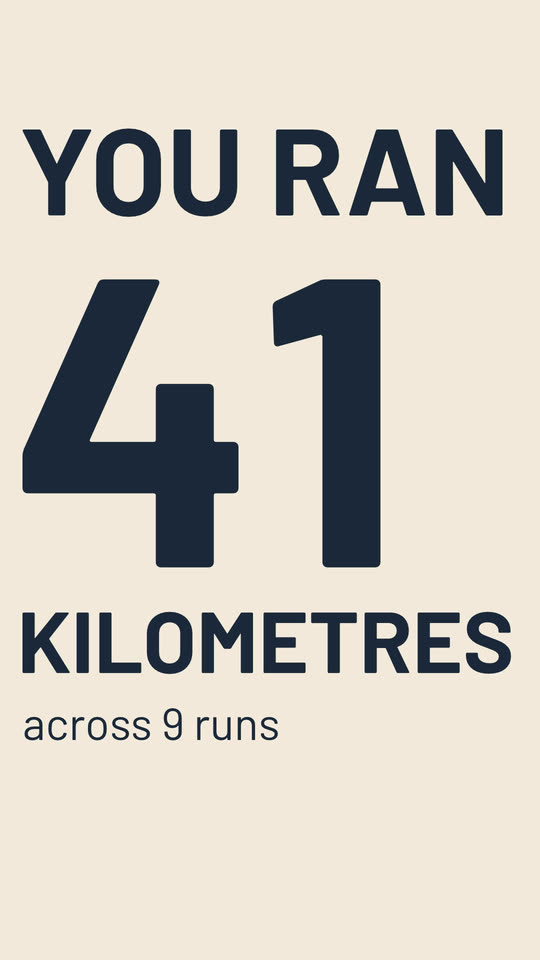
The same three rows of Kestrel’s sample in both templates. Kestrel is a running app we made up, and so are Maja, Tomas and Ana.
03
Make every video. A link for each row.
One press makes a video for every row. Check them all. Then every row gets a link of its own, for your email.
- Every video 18 seconds, 9:16, with a poster. One for each row.
- Empty cells A row with empty cells still gets a whole video.
- Review See every video. Open any row to check it.
- A fix Fix the sheet and upload it again. Only the rows that changed are made again.
- The links One for each row, all in links.csv for your email tool.
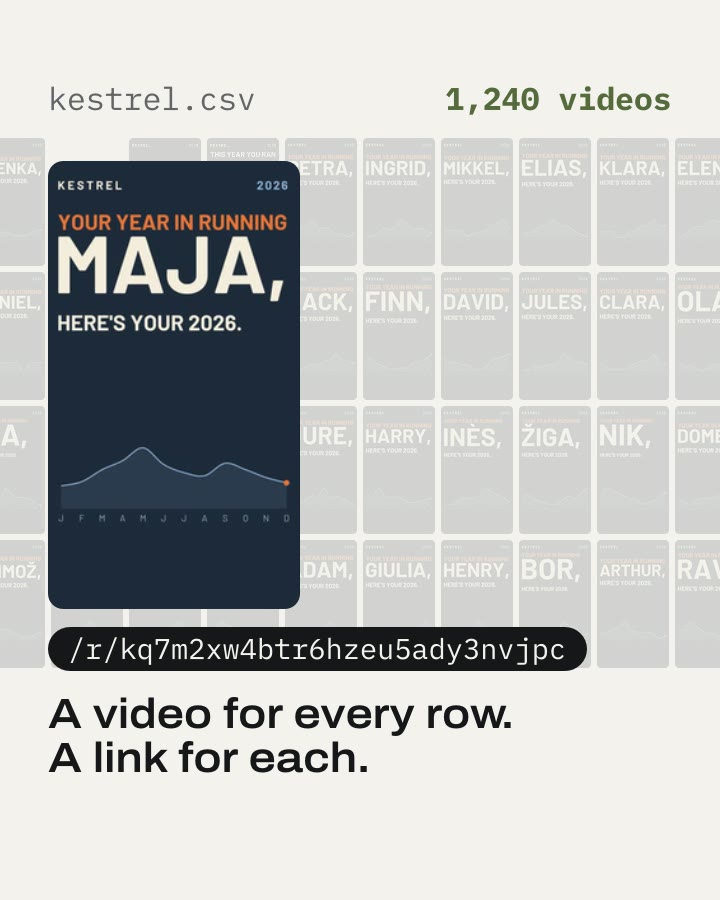
Kestrel’s sheet read a row at a time, each row landing as its own video. Kestrel and its 1,240 runners are made up.
A link for every row.
links.csv holds a line for each row: your key and first name as your sheet has them, the row’s link and its poster. Your email tool merges them in.
- maja@example.com
- Your key, as your sheet has it.
- first_name
- Maja
- As your sheet has it.
- recap_link
- everyframe.si/r/kq7m2xw4btr6hzeu5ady3nvjpc
- Her own page, with her video.
- recap_poster
- everyframe.si/r/kq7m2xw4btr6hzeu5ady3nvjpc/poster
- A still of one frame, for an email that can’t play video.
- 1 Make the links One press, with the last day they work. links.csv comes with them.
- 2 Merge them in your tool Import links.csv into your email list, matched on email.
- 3 Send from your own tool As you always do. Recap sends nothing.
Her page
What Maja opens from your email.
Your customers’ rows
What happens to the rows.
A sheet like this is about real people. Recap keeps their rows only until the last day you set.
-
You accept the data agreement as you upload.
Each recap keeps the version you accepted, and when.
-
Everything goes on the last day.
You set the recap’s last day. Then the links end, and we delete the sheet, the rows, the videos and the posters.
-
A row goes on request.
Delete one person’s row on any day, with their video and poster.
-
A row’s page only once you make the links.
Each link is long and its own. Anyone with it can watch that one video, until the last day.
-
No row in a log.
Our logs carry ids. A value from a row never goes in one.
Not yet
What Recap does not do yet.
Today you send from your own tool, and every template brings its own look.
- Not yet
Send the emails
Recap makes a link for each row. You send them from your own email tool.
- Not yet
Draw your own brand
Each template brings its own colours and type. You type your company’s name, and every video says it.
- Not yet
Read Excel or Google Sheets
Save the sheet as CSV first. Both can.
- Not yet
Take more than 2,000 rows
One recap takes up to 2,000 rows.
Try it on your own sheet.
Recap is coming soon. Join the waitlist, or book a demo and see a sheet become a video for every row.
FAQ
Questions about Recap.
When can I use Recap?
Recap is coming soon. Join the waitlist and we’ll email you when it’s your turn. Or book a 15-minute demo and see every step on Kestrel’s sample, a running app we made up.
What does my sheet need?
One row for each person and the column names in the first row. Each row needs a key, such as an email, and a number worth telling them. Save it as CSV, up to 2,000 rows and 10 MB.
What if a row has empty cells?
It still gets a whole video. Recap shows which columns have empty cells, and three real rows from your sheet, before anything else is made.
Does Recap send the emails?
No. Recap makes a link for each row, all in links.csv. You send them from your own email tool, as you always do.
How long do the links work?
Until the last day you set. Then the links end, and we delete the sheet, the rows, the videos and the posters. You can delete one person’s row on any day.
Who is Kestrel?
Kestrel is a running app we made up. Maja, Tomas and Ana are made up too, and so is every number in their sheet.